filename


Documentation Index
Fetch the complete documentation index at: /llms.txt
Use this file to discover all available pages before exploring further.
Tor üzerinden IRC sunucusu açmayı göstericem
[ 192.168.100.1/24 ] [ /dev/pts/13 ] [~/Nextcloud/blog/Conf]
→ ssh [email protected]
The authenticity of host '123.123.123.123' can't be established.
ECDSA key fingerprint is SHA256:z2HAncB99pfbAUfj9tJY7vlo8EGUzCIUxWBAnjAflcA.
Are you sure you want to continue connecting (yes/no/[fingerprint])? yes
Warning: Permanently added '123.123.123.123' (ECDSA) to the list of known hosts.
Linux debian-s-1vcpu-1gb-lon1-01 4.19.0-10-cloud-amd64 #1 SMP Debian 4.19.132-1 (2020-07-24) x86_64
The programs included with the Debian GNU/Linux system are free software;
the exact distribution terms for each program are described in the
individual files in /usr/share/doc/*/copyright.
Debian GNU/Linux comes with ABSOLUTELY NO WARRANTY, to the extent
permitted by applicable law.
root@debian-s-1vcpu-1gb-lon1-01:~#
apt update -y && apt upgrade -y
apt install tor inspircd -y
wget https://blog.nowhere.moe/servers/irc_tor/inspircd.conf -O /etc/inspircd/inspircd.conf
echo 'Welcome to Visec' > /etc/inspircd/inspircd.motd
nano /etc/inspircd/inspircd.conf
nano /etc/tor/torrc
HiddenServiceDir /var/lib/tor/hidden_service/
echo 'HiddenServicePort 6667 127.0.0.1:6667
systemctl restart tor
cat /var/lib/tor/hidden_service/hostname
xxxxxxxxxxxxxxxxxxxxxxxxxxxxxxxxxxxxxxxxxxxxxxxxxxxxxxxxxxx.onion
systemctl status inspircd
systemctl restart inspircd
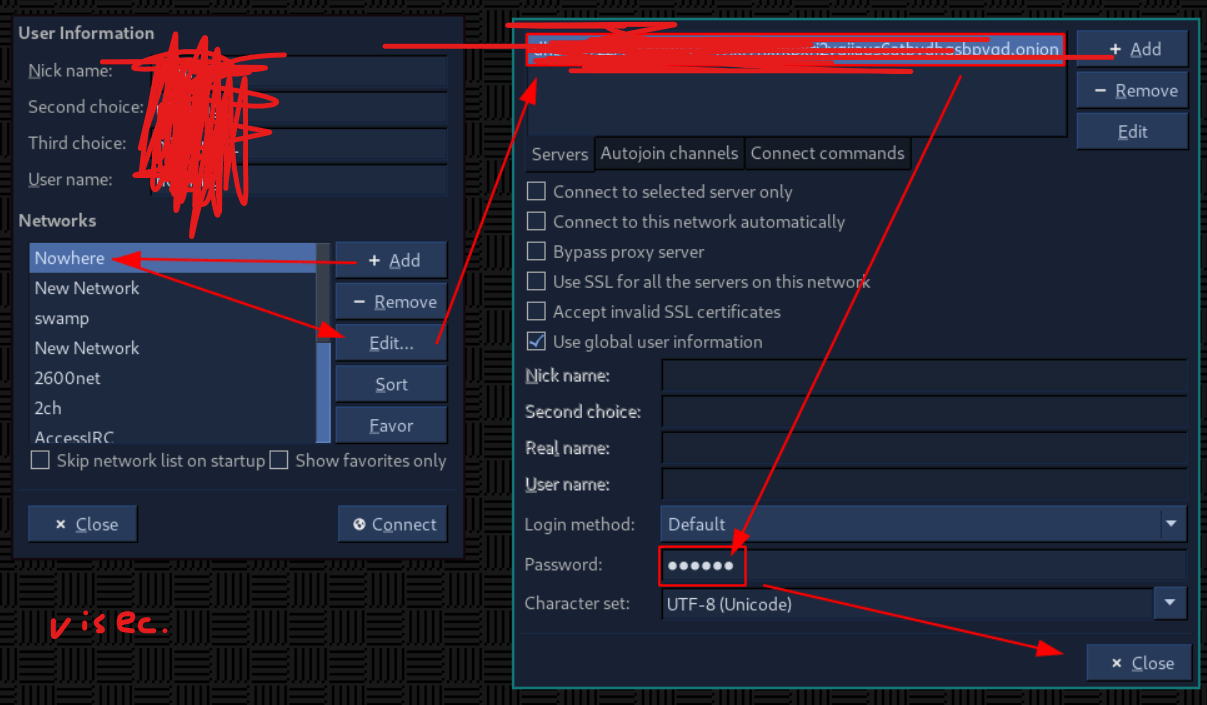
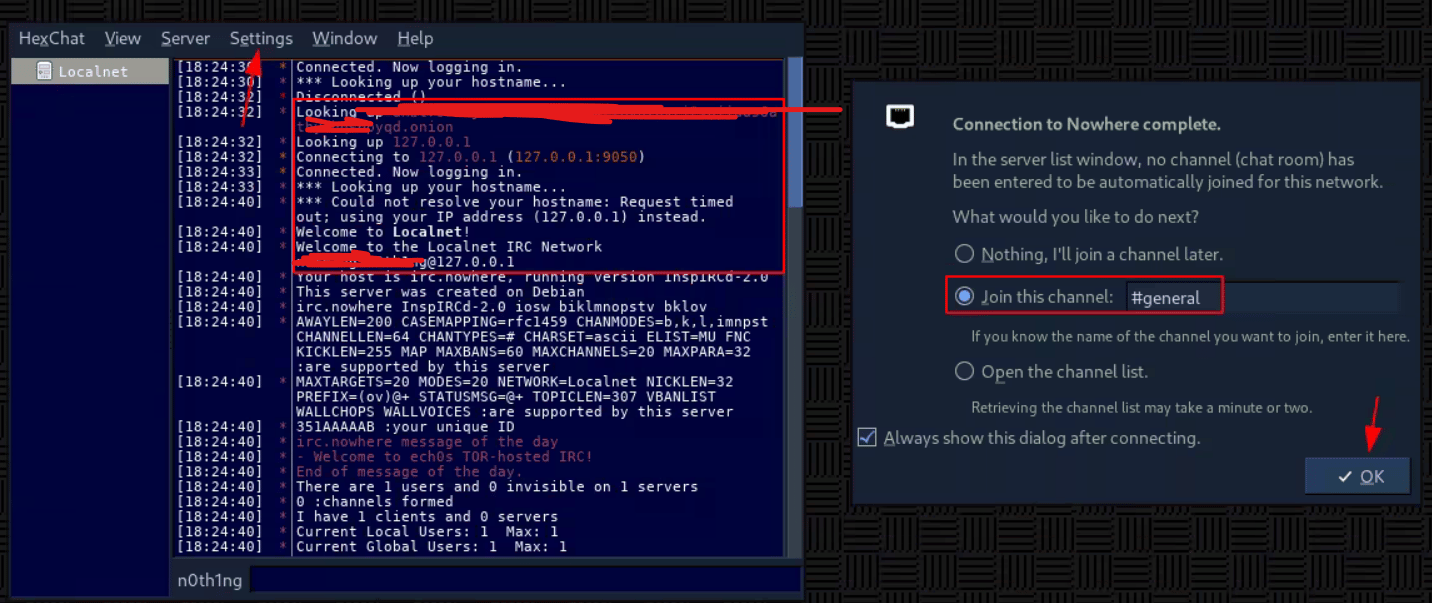
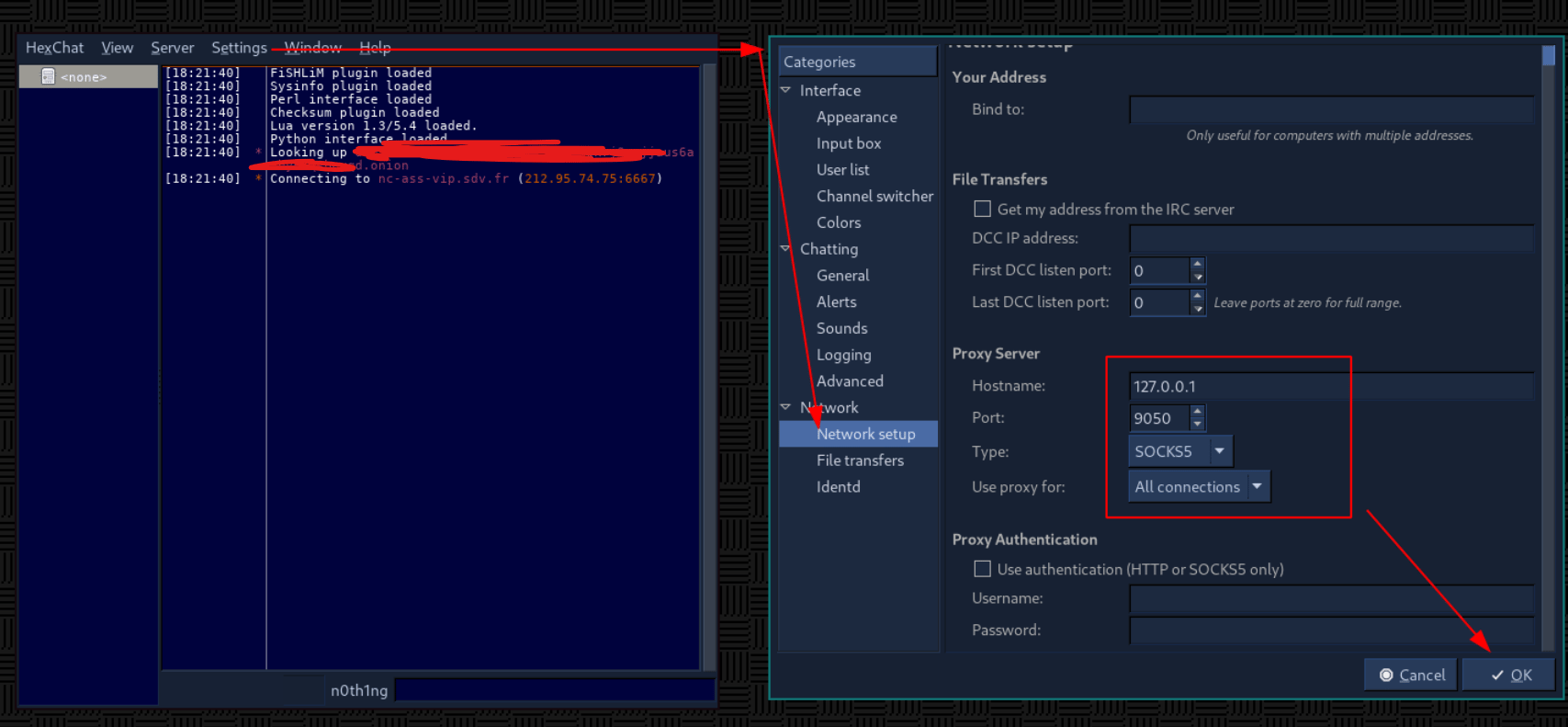
## client:
sudo apt install irssi hexchat tor
sudo systemctl start tor


Was this page helpful?